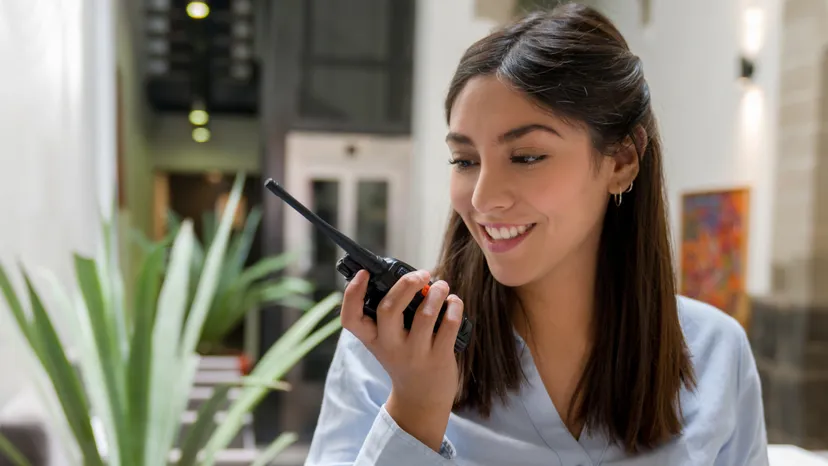






Welcome to the world of instant communication! You've just got your new two-way radio, a powerful tool for staying connected. But if you're wondering how do I talk on a walkie talkie?, you're in the right place. This simple beginner's guide will take you from unboxing to your first "Copy that," covering all the walkie talkie basics you need to know.
Anatomy of Your Radio: Getting to Know the Key Buttons
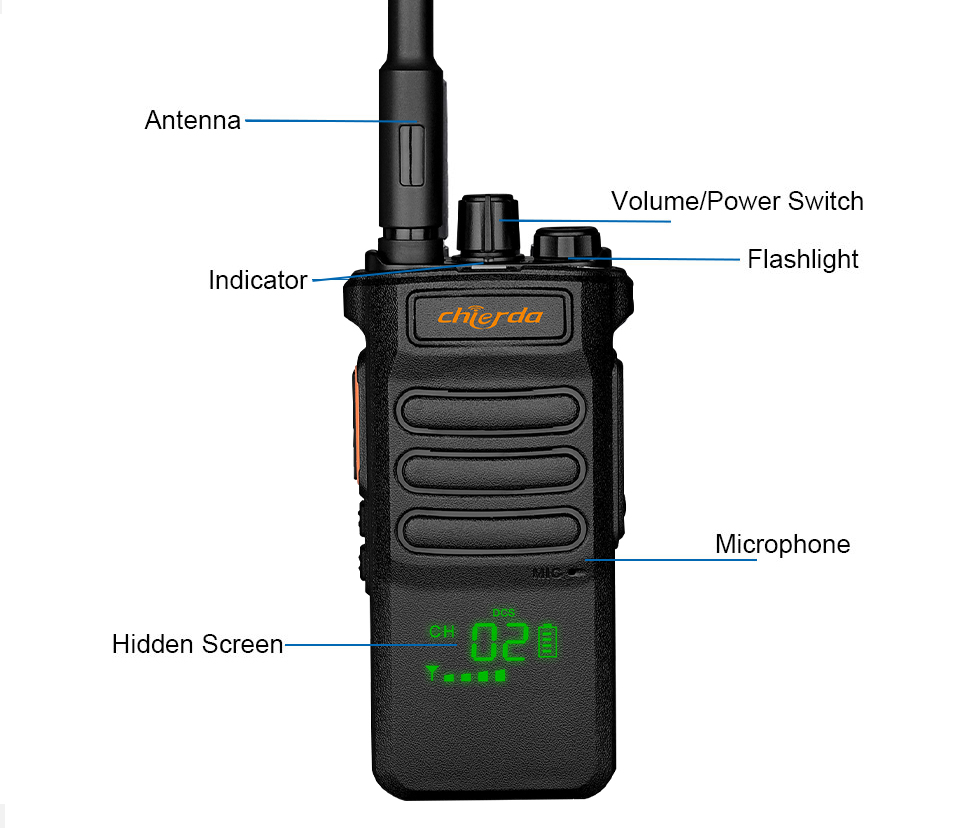
What do the buttons on a walkie talkie do? Most professional radios are designed for simplicity. Let's look at the main controls.
The PTT (Push-to-Talk) Button: Your Key to Transmitting
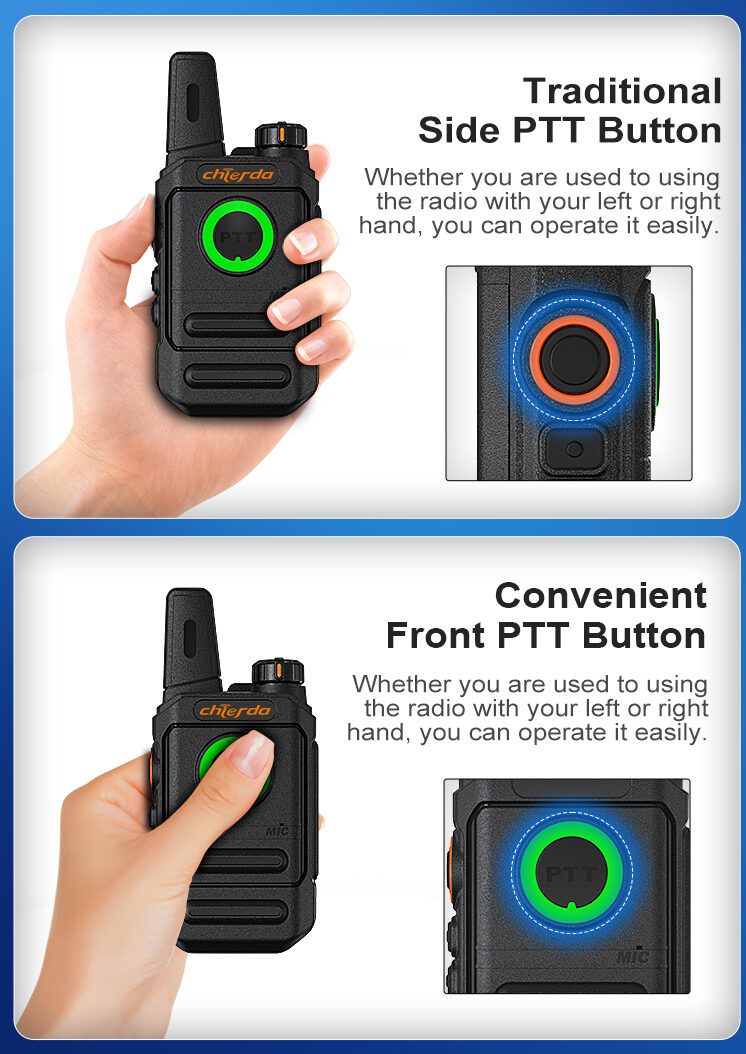
This is the most important button. Located on the side of the radio, you press and hold the PTT button to speak (transmit), and release it to listen (receive).
The Channel Selector Knob: Finding Your Team
Usually on top of the radio, this knob lets you select the channel your team is using. For communication to work, everyone must be on the same channel.
The Volume/Power Knob: Hearing and Being Heard
This knob typically does two things: turn it clockwise from the "off" position to power on the radio, and continue turning it to adjust the volume.
The Antenna: Your Link to the Airwaves
The antenna sends and receives radio waves. Always make sure it's screwed on securely and is not damaged for the best possible performance.
Accessory Port: For Headsets and Microphones
This covered port on the side allows you to connect accessories like earpieces or speaker microphones for hands-free use.
The Golden Rule of the PTT Button: Press, Pause, Speak, Release
The most common mistake beginners make is talking too soon or letting go too early. Follow this golden rule for perfect clear communication every time.
Press and Hold the PTT Button Firmly
Don't just tap it. Press the button and keep it held down for the entire time you are speaking.
Pause for One Second Before Speaking
After pressing the PTT, wait just a moment before you start talking. This gives the radio time to fully start transmitting, ensuring the beginning of your message isn't cut off.
Speak Clearly, Then Release the Button
Speak in a normal, clear voice. Once you have finished your complete thought, you can release the PTT button to listen for a response.
Sounding Like a Pro: Basic Radio Communication Etiquette
Following a few simple rules of radio communication etiquette will make you sound professional and ensure your messages are understood.
Rule 1: Listen Before You Talk to Avoid Interrupting
Before you press the PTT, listen for a moment to make sure the channel is clear. Interrupting someone else's conversation is the biggest rule to break in radio communication rules.
Rule 2: Keep Your Messages Clear and Concise
Two-way radio is not for long conversations. Think about what you need to say before you transmit. State your message clearly and briefly.
Rule 3: Identify Yourself and Who You're Calling
Start your transmission by saying who you are calling, followed by who you are. For example, "John, this is Sarah." This helps avoid confusion.
Rule 4: Use Plain Language, Not Complex Codes
Unless your team has a specific set of 10-codes, just use plain, simple language. Clarity is always the top priority.
Your First Conversation: A Simple Walkthrough
Ready to put it all together? Here’s a perfect example of how to talk on a radio.
- Confirm the Channel: Make sure you and your partner are on the same channel (e.g., Channel 3).
- Initiate the Call: Press and hold the PTT, pause, then say: "John, this is Sarah, over."
- Wait for a Response: Release the PTT and listen. John should reply: "Go ahead Sarah, over."
- End the Conversation Clearly: After your exchange, the person who finishes the conversation can say their name and "out." For example: "Copy that, Sarah out."
You're All Set! Go Forth and Communicate with Confidence
That's it! By mastering these walkie talkie basics, you are ready to communicate effectively and professionally. The key is practice. The more you use your radio, the more natural it will become. Now, go enjoy the power of instant connection. For easy-to-use devices perfect for beginners, explore the full range from a trusted two way radio manufacturer.
FAQ: Your First Walkie Talkie Questions Answered
What's the difference between a channel and a privacy code?
A channel is the frequency your radio is using. Everyone on the same channel can hear each other. A privacy code (CTCSS/DCS) is a sub-audible tone that filters out other users who are on the same channel but using a different code. It doesn't make your conversation private, but it does reduce unwanted chatter.
Why do people say "Over" and "Roger" on the radio?
"Over" means "I have finished speaking and I am waiting for your reply." "Roger" or "Copy" means "I have received and understood your message." Using "over" is a key part of good radio communication etiquette.
How can I test if my radio is working correctly?
A simple radio check. With a partner on the same channel, one person says "Radio check, this is [Your Name]." The other person replies "[Your Name], I read you loud and clear."
How close do I need to hold the radio to my mouth?
How close should I hold the radio to my mouth? Hold the radio vertically, with the microphone about 2 to 3 inches (5-8 cm) away from your mouth. Speak in a normal, clear voice. Don't shout into it! If you need more help, check out our complete two way radio guide.